
How To Play ?
Game Overview
Welcome to Ton Fiesta, a dynamic gaming experience within Telegram where you can earn points, level up,
and
unlock exclusive rewards. Get ready to spin, earn, and upgrade as you progress through different leagues,
earning rewards based on your engagement and achievements.
1. Starting Out: Welcome Rewards
1.
Welcome Rewards are granted based on your
Telegram Account Rank, considering your account's
age, activity, and premium subscription status.
2.
Ranks (from lowest to highest):
- 1. Honour Badge
- 2. Adventurer
- 3. Expert
- 4. PRO
- 5. OG
2. Gameplay Mechanics.
Main Game Elements
Spinner (Upgradable)
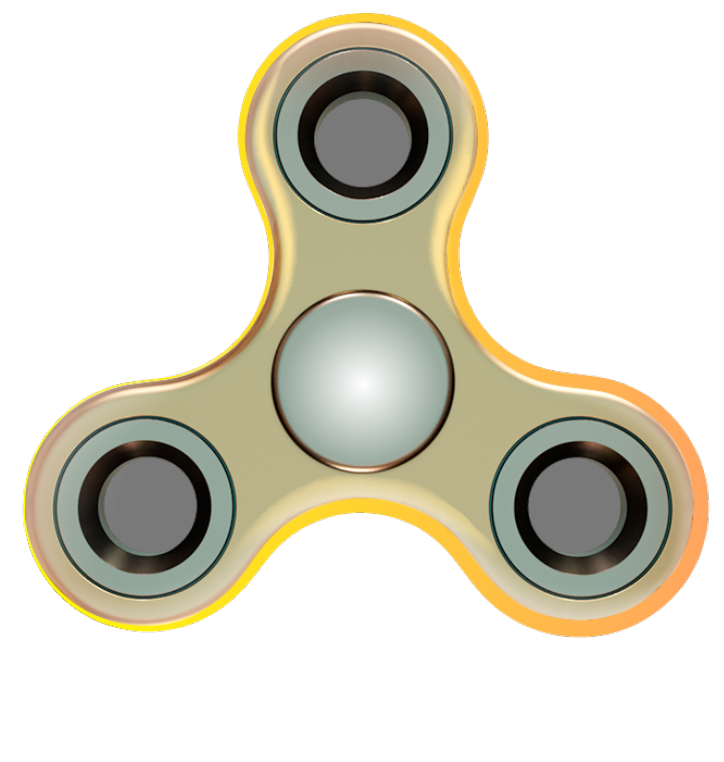
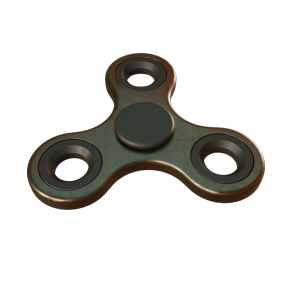
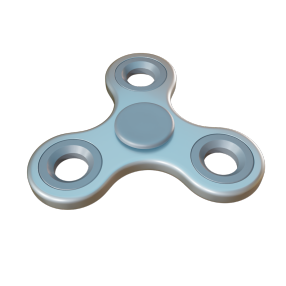
- 1. This is the central interactive feature.
- 2. How to use: Tap or swipe the spinner (set your preference) to generate energy for the Energy
Bar.
Energy Bar (Upgradable)
- 1. Stores the energy produced by the spinner.
- 2. How it works: As long as energy remains in the bar, points (the game’s currency) are mined
automatically.
GPU (Upgradable)
- 1. The GPU mines points over time, with a speed measured in points per second.
- 2. Upgrading: Boosts the mining speed, generating points faster.
Points
- 1. Earned as you play and can be used for upgrades. Increase your spinner’s speed, GPU power,
and energy bar capacity to maximize your Profit Per Hour (PPH).
3. Shop: Boosters & Upgrades
Boosters (3 available every 24 hours)
- 1. Energy Bar Refill: Instantly refills your energy to the max.
- 2.GPU Booster: Converts stored energy in the energy bar into points instantly.
Upgrades
- 1. Energy Refill Speed (11 levels): Increases spinner energy creation rate.
- 2.Energy Bar Capacity (11 levels): Expands energy storage, allowing more points to be mined in
one cycle.
- 3. GPU Upgrade (11 levels): Enhances points-per-second mining speed.
4. Earn Points
Community Tasks
- 1. Earn one-time rewards for completing tasks like:
- 1. Following social media accounts
- 2. Watching videos
- 3. Joining channels
- 4. Connecting wallets or creating blockchain transactions
Upgrades
- 1. Located under Earn > Tasks, these activities boost your PPH. Upgrades cost points and boost
your earnings for up to 3 hours per login.
Daily Login Rewards
- 1. Log in daily to earn streak rewards, which increase each day for a week. Missing a day resets your
streak to Day 1.
5. Leagues: Progression & Rewards
- 1. As you accumulate points, you’ll advance through leagues (Iron, Bronze, Silver, etc.) and earn a
reward equal to 10% of the points required for each new league.
- 2. Referral Bonus: 10% of the points mined by users you've referred to the game.
6. Advanced Features
GPU Cards
- 1. Earn special GPU cards from Gold League onwards, representing powerful boosts. These are essential
for unlocking Boost-Stake benefits.
Boost-Stake (More > Boost-Stake)
- 1. Purchase exclusive Boost-Stake cards to gain additional perks, such as entries for weekly and mega
rewards, Telegram stars, and more. The benefits increase with each card upgrade.
Fidget Settings (More > Info)
- 1. Toggle between tap or swipe modes for the spinner.
- 2. Track PPH earnings and see the Boost-Stake cards you've collected.
7. Referrals
- 1. Track the number of friends invited and claim 10% of their points each time they achieve a new
league rank.
Faqs
What is a spinner?
- The spinner is the central interactive feature of the game. You can Tap/Swipe (based on your settings
in More → Info) to generate energy for the Energy Bar.
Can I upgrade the spinner?
- Yes players can upgrade the spinner with Energy Refill Speed Upgrade in the Shop section, which
affects how much energy is generated.
What does the Energy Bar do?
- The Energy Bar stores the energy generated by the spinner. As long as there’s energy in the bar,
points are mined automatically.
How can I increase the capacity of the Energy Bar?
- You can upgrade the Energy Bar Capacity in the shop, allowing you to store more energy and mine points
for longer durations.
How do I refill the Energy Bar?
- You can swipe/tap (depending on player settings) on the spinner to generate energy and refill the
energy bar. As long as there’s energy in the bar, points are mined automatically.
What is the GPU, and how does it work?
- The GPU mines points automatically based on GPU level, with a speed measured in points per second.
Can I upgrade the GPU?
- Yes, GPU upgrades in the shop increase the points-per-second mining speed, improving your overall
Profit Per Hour (PPH).
What are points, and how do I earn them?
- Points are the game’s currency, earned through gameplay (spinner, GPU), community tasks, daily login
rewards, and referrals.
How can I use points?
- Points can be used to upgrade the Energy Refill Speed, Energy Bar Capacity, and GPU power in the shop.
How do upgrades work?
What are boosters, and how do I get them?
How do leagues work?
- As you earn points, you progress through leagues (Iron, Bronze, Silver, etc.). Each league rewards you
with 10% of the points required to advance to the next level.
Are there additional rewards for higher leagues?
- Yes, starting in the Gold League, you can earn special GPU cards for advanced boosts.
What is the referral system?
- Invite friends to join the game and earn 10% of the points they mine when they achieve a new league
rank.
How do I track my referrals?
- Referral progress can be tracked in the Ref section.
What are community tasks?
- Tasks like following social media accounts, watching videos, or connecting wallets. Completing them
earns one-time point rewards.
What upgrading tasks do?
- These are located under Earn > Tasks and increase passive income as PPH (Profit Per Hour) of players
capped to since last login 3 hours.
What are GPU Cards?
- From Gold League onwards, you can earn special GPU cards representing your elite status and will be
utilized for future in-app features.
What is the Fidget Setting?
- You can toggle between tap or swipe modes for the spinner in the *More > Info* menu to suit your
preference.
Ton
Dive into the TONverse, where innovation meets the blockchain
frontier!
Profit per Hour
20
200